Ambit Connect
Publisher Description
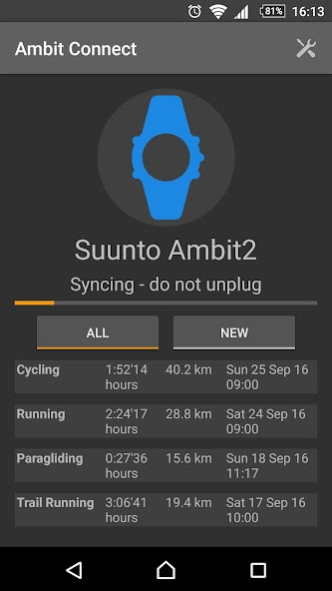
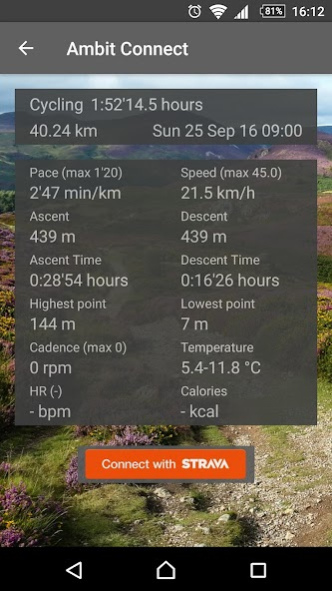
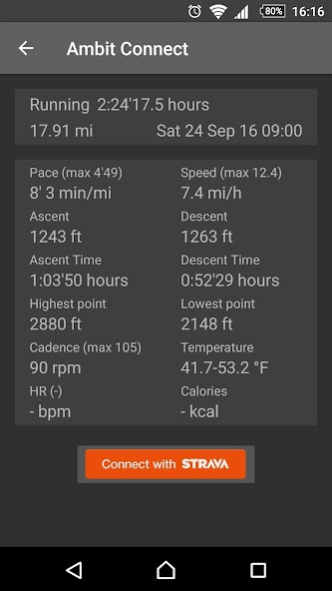
Connects your Ambit/Traverse to your phone or tablet using the Ambit USB cable and an OTG adapter.
Support for all Suunto Ambit and Suunto Traverse sports watches:
- Suunto Ambit
- Suunto Ambit2
- Suunto Ambit2 R
- Suunto Ambit2 S
- Suunto Ambit3 Peak
- Suunto Ambit3 Run
- Suunto Ambit3 Sport
- Suunto Ambit3 Vertical
- Suunto Traverse (Support in Beta quality)
- Suunto Traverse Alpha (Support in Beta quality)
Download activities offline
- Prevent loss of activity logs when the watch memory fills up
- No internet connection needed to store the activities on your phone
Perfect for multi-day treks, stage races and cycling or running holidays
- No need to haul your laptop up the mountain!
Compatible with Strava
- Upload your activities to Strava directly
- Supports runs, rides, swims and other Strava workouts
GPX and FIT file output to use in other apps or upload to cloud services (MapMyFitness, Runkeeper, Endomondo, Runtastic, etc.)
About Ambit Connect
The company that develops Ambit Connect is Green Peak Digital. The latest version released by its developer is 1.0 .
To install Ambit Connect on your Android device, just click the green Continue To App button above to start the installation process. The app is listed on our website since 2019-08-10 and was downloaded 67 times. We have already checked if the download link is safe, however for your own protection we recommend that you scan the downloaded app with your antivirus. Your antivirus may detect the Ambit Connect as malware as malware if the download link to com.greenpeakdigital.ambitconnect is broken.
How to install Ambit Connect on your Android device:
- Click on the Continue To App button on our website. This will redirect you to Google Play.
- Once the Ambit Connect is shown in the Google Play listing of your Android device, you can start its download and installation. Tap on the Install button located below the search bar and to the right of the app icon.
- A pop-up window with the permissions required by Ambit Connect will be shown. Click on Accept to continue the process.
- Ambit Connect will be downloaded onto your device, displaying a progress. Once the download completes, the installation will start and you'll get a notification after the installation is finished.
Program Details
System requirements
Download information
Pricing
Version History
version
posted on 2019-08-10
v1.6 Support for Strava API update
v1.5 Support for Ambit3
v1.4 Manual lap data in FIT/GPX files
v1.3 Open and share GPX/FIT files with other apps
v1.2 Support for Android 7.x
v1.1 Support for Pool Swimming activities
v1.0 Trial version released
version 1.3.9
posted on 2017-12-16
v1.3 Open and share GPX/FIT files with other apps
v1.2 Support for Android 7.x
v1.1 Support for Pool Swimming activities
v1.0 Trial version released
v0.5 Stable release for final beta testing
v0.4 Stability and connection improvements
v0.3 FIT format export. Support for non-GPS workouts. Improved support for Multisport (Triathlon) activities on Strava upload
v0.2 Released for beta testing
version 0.5.2
posted on 2016-12-22
v0.5,Stable release for Ambit/Ambit2. Ambit3 moved to separate app.,v0.4,Stability and connection improvements,v0.3,FIT format export,Support for non-GPS workouts,Improved support for Multisport (Triathlon) activities on Strava upload,v0.2,Released for beta testing
